4D/5D BIM Services
Advanced 4D and 5D BIM Services for construction scheduling, project planning, cost estimation, and resource management to improve project efficiency and decision-making.

About This Service
4D and 5D BIM Services
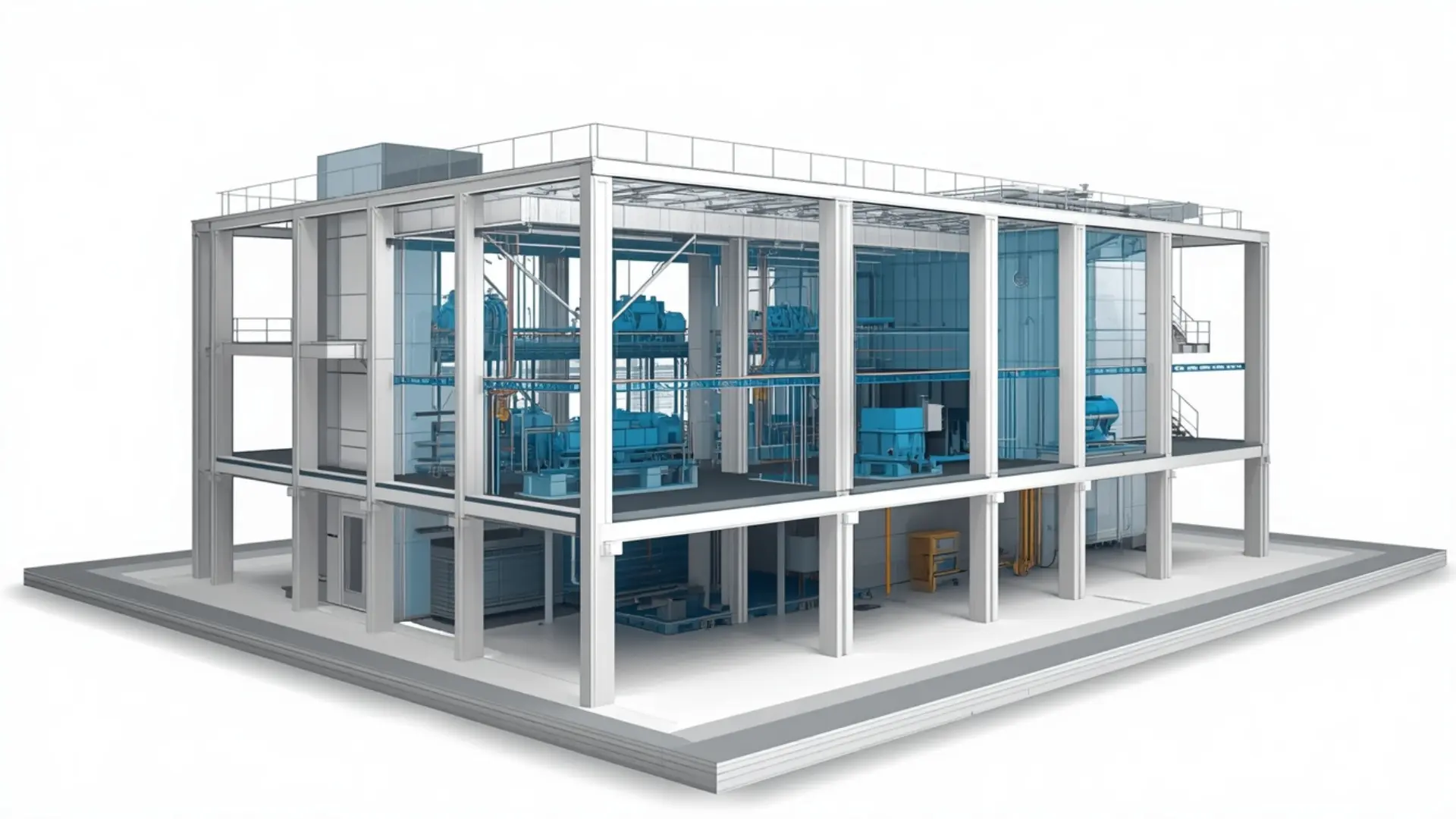
Construction projects run into trouble when the programme and the budget are managed separately from the model. Schedules get updated without reference to what's actually being built, and cost estimates are based on drawing take-offs that don't reflect the latest design. 4D and 5D BIM Services bring the model into both conversations. The 3D model is linked to the construction programme to create a time-based simulation-that's the 4D and the same model geometry is used to extract quantities that feed into cost planning and estimation, which is the 5D. Together they give project teams a much clearer picture of how the work will unfold and what it's likely to cost at each stage. Eminent BIM Services provides both as standalone services or as a combined package, working from your existing Revit models or developing the model from your drawings.
What Are 4D and 5D BIM Services?
4D BIM means attaching construction programme data to model elements so you can simulate the build sequence visually. When you play back the simulation, you see the structure rising floor by floor, MEP systems being installed in sequence, facades going up in the intended order. It's not a replacement for your MS Project or Primavera programme the programme stays where it is. What the 4D simulation does is make it much easier to review the sequence in a planning meeting, catch logical problems early (a crane that can't reach because a concrete pour is scheduled in the wrong order, for example), and communicate the sequence to people on site who don't read Gantt charts easily.
5D BIM is the extraction of quantities directly from the model, organised by level, zone, system or work package, for use in cost estimation and budget tracking. Because the quantities come from the model geometry rather than from manual take-off, they update when the design changes though it's worth being direct about this: the quantities are only as reliable as the model. A model at LOD 200 will give approximate volumes and areas. A model at LOD 300 gives quantities suitable for trade packages and procurement. We're clear with clients at the outset about what the model can and can't support.
Our 4D and 5D BIM Services Scope
4D BIM Construction Planning and Sequencing
We link the construction programme to the Revit or Navisworks model and build the sequencing simulation in Navisworks Timeliner. The model elements are grouped and tagged to match the programme activities, the logic is reviewed against the project's intended construction methodology, and the simulation is run at the agreed level of detail. We can also produce animation files or video exports for use in presentations, design reviews, or pre-construction planning meetings.
5D BIM Quantity Take-Off and Cost Planning
Quantity schedules are produced directly from the Revit model, organised by the categories your cost or estimating team needs — by level, by discipline, by zone, by building element. We produce material take-offs for concrete, reinforcement, masonry, structural steel, MEP systems, finishes, and other elements, depending on what the model contains and the LOD reached. Schedules are delivered in Excel so they can be reviewed and used by your QS or estimating team. We don't apply pricing directly unless that's been agreed as part of the scope; cost estimating uses the quantities we provide.
BIM-Based Construction Simulation
Where a project benefits from a more detailed construction simulation — logistics planning, tower crane positioning, temporary works sequencing — we can develop that as part of the 4D scope. This is particularly useful on constrained urban sites or phased projects where the sequence of operations has a real bearing on programme risk.
Model Preparation for 4D and 5D
If your model isn't structured for take-off or sequencing, we can prepare it. That means checking LOD against what's needed, applying consistent naming and parameters to model elements, grouping elements by activity or work package, and cleaning up geometry that would produce unreliable quantities.
What We Deliver
- Navisworks Timeliner 4D construction simulation file
- Construction sequence animation or video export
- Sequence review report noting clashes or programme logic issues
- Revit quantity schedules (Excel export)
- Material take-off reports by level, zone, system or work package
- BIM-based quantity comparison across design stages
- Model element tagging documentation (activity/work package mapping)
Our Workflow
- Information review: We review the drawings, models and programme schedule you provide. If the model needs preparation for 4D or 5D use, we flag this at the start so there are no surprises later.
- Scope agreement: We confirm the programme structure for 4D (which software, which activities, which sequence level) and the quantity categories for 5D. This stage prevents misalignment between what we extract and what your cost or planning team can use.
- Model setup: Elements are grouped, tagged and named to match programme activities or quantity categories. For 5D, we check that model elements carry the parameters needed for reliable schedule output.
- 4D simulation build: Programme data is imported into Navisworks Timeliner. Activities are linked to model groups. The simulation is run, reviewed and corrected for logic or grouping errors.
- 5D quantity extraction: Schedules are run from the Revit model and checked for completeness. Any gaps (elements not yet modelled, areas below the current LOD) are noted in the delivery.
- Internal review: The simulation and quantity outputs are checked against the model and the programme before going to the client.
- Client review: We share the outputs with you for comment. Revisions to the simulation sequence or quantity categories are handled in this stage.
- Final delivery: Agreed outputs are issued in the confirmed formats. We can assist with a handover walkthrough if needed.
Level of Development (LOD)
LOD affects both services directly.
Software We Use
- Autodesk Revit - source model development and quantity schedule production.
- Navisworks Manage - 4D Timeliner simulation, model federation, and animation export.
- MS Project / Primavera P6 - programme import for Timeliner linking. We work with whichever scheduling tool your project uses.
- Microsoft Excel - quantity schedule formatting and delivery.
- Autodesk Construction Cloud - model coordination and file sharing where the project uses it.
Why Clients Use This Service
Projects We Support
- Commercial developments - office buildings, mixed-use schemes and retail where phased delivery or tenant fit-out sequencing needs to be communicated to multiple parties.
- Hospitals and healthcare facilities - where construction phasing around operational areas makes sequence planning critical, and where cost control across long programmes is a standing requirement.
- Industrial and data centre projects - where MEP-heavy builds and equipment installation sequences benefit from 4D review, and where large quantities of structural and mechanical elements make model-based take-off efficient
- Residential developments - especially large multi-block schemes where repetitive floor plates make 5D quantity extraction and programme sequencing straightforward and high-value.
- Hotels and hospitality - where client-facing milestone presentations benefit from a visual construction sequence, and where fit-out cost tracking by zone is a practical requirement.
Why Work With Eminent BIM Services?
Start Your 4D and 5D BIM Project
Software Used
FAQ
Let's Deliver BIM the Right Way
Partner with our clash-free coordination and Revit modeling experts to keep your project on time, on budget, and fully coordinated.
Get Free Consultation See Our Work