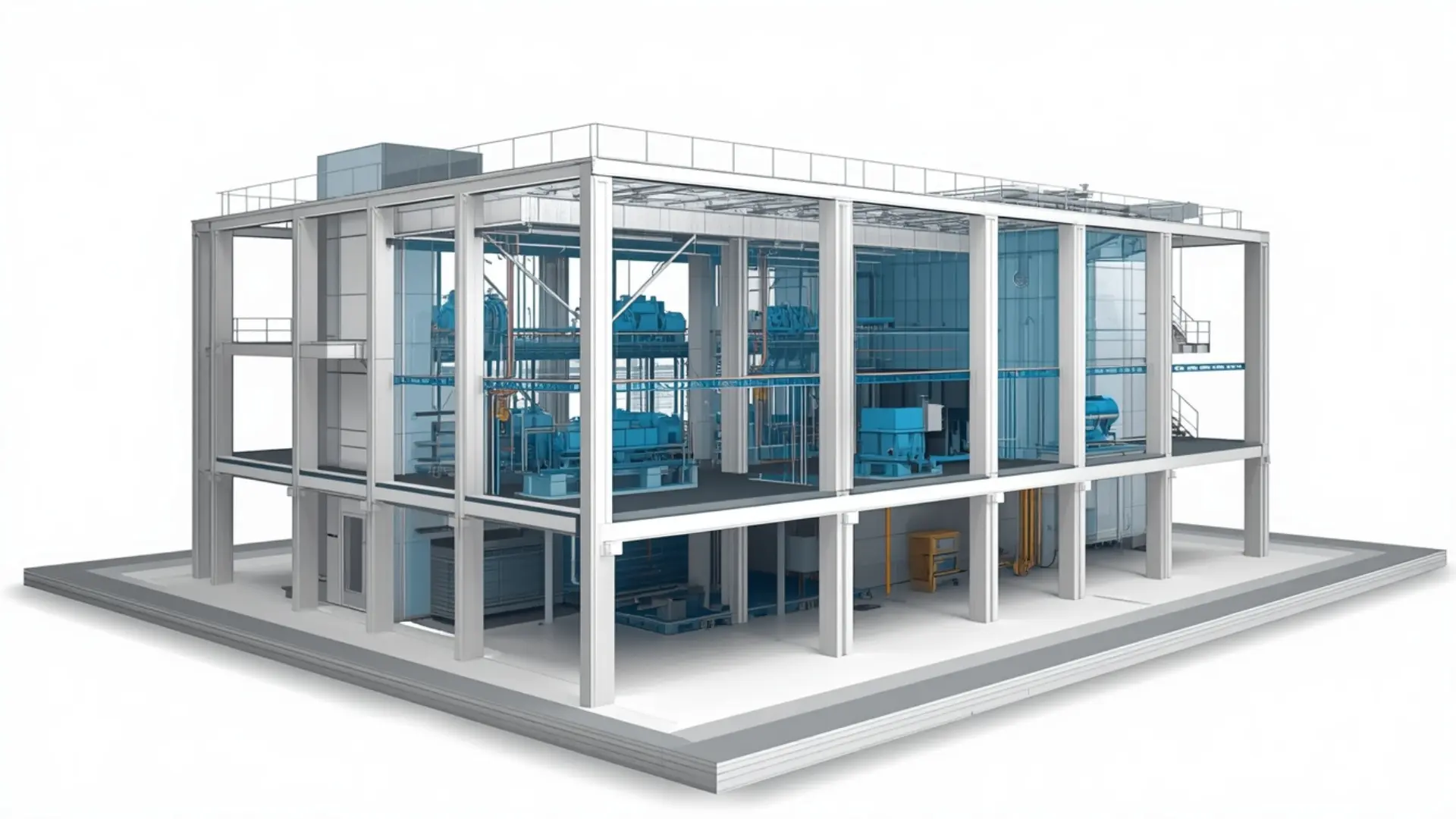
Structural BIM Modeling Services
Our Structural BIM Modeling Services provide accurate and coordinated 3D models for buildings and structural systems. We create detailed Revit models for foundations, columns, beams, slabs, walls, and structural elements, helping engineers and contractors improve coordination, reduce errors, and deliver projects more efficiently.

About This Service
Structural BIM modeling involves building an accurate three-dimensional digital model of a structure's load-bearing system foundations, columns, beams, slabs, walls, and connections and producing the documentation that the design and construction teams need to work from. At Eminent BIM Services, we work with structural engineers, contractors, and developers to model and document structural systems in Revit, coordinate them with architectural and MEP disciplines, and prepare construction-ready drawings and schedules. Whether you are starting from engineer-stamped CAD drawings, PDFs, or an existing model that needs updating, our team can take the structural information and turn it into a properly organized, coordinated BIM model.
What Is Structural BIM Modeling?
Structural BIM modeling is the process of representing a building's structural system as a data-rich 3D model rather than a flat drawing set. Each structural element a concrete column, a steel beam, a post-tensioned slab, a pile cap is modeled with accurate geometry and carries properties such as material, size, mark, and specification reference. That information can then flow into drawings, schedules, quantity reports, and coordination models.
The practical difference from traditional CAD drafting is that changes propagate through the model. If a column grid shifts by 200 mm during design development, the plans, sections, and schedules all update together rather than requiring manual edits across dozens of sheets. For a structural engineer reviewing a concrete framing plan, or a contractor checking pour sequences, that consistency reduces the risk of working from outdated information.
Structural BIM modeling does not include structural analysis or engineering sign-off. That remains with the structural engineer of record. What the BIM team produces is a model and documentation set that accurately represents the engineer's design and can be used by the wider project team.
Our Structural BIM Modeling Scope
Concrete Structural Modeling
We model reinforced concrete systems including spread footings, pile caps, grade beams, retaining walls, shear walls, columns, flat slabs, ribbed slabs, beams, and transfer structures. Rebar modeling is included when required typically at LOD 350 to 400 and can be used as input for rebar detailing and bar bending schedules.
Steel Structural Modeling
Steel framing is modeled in Revit including columns, beams, bracing, purlins, girts, base plates, and moment connections. For standard connections, we model to LOD 350. Detailed connection modeling at LOD 400 - covering bolt groups, weld sizes, and plate geometry - is available where the project requires it, usually for steel fabrication.
Mixed and Hybrid Structures
Many projects combine a concrete core with a steel superstructure, or use timber framing alongside steel connections. We model hybrid structural systems as a single coordinated model, keeping materials and element properties properly organized so the documentation reads clearly.
Model Updates and Design Revisions
Structural design changes during design development and into construction. We can manage revision rounds, incorporating engineer-issued updates and issuing revised drawings against a consistent revision log. Where a model already exists from another team, we can audit it, clean it up to agreed standards, and take over ongoing maintenance.
Structural BIM Coordination
We coordinate structural models with architectural and MEP discipline models to identify and flag conflicts — a structural beam that drops below a false ceiling line, a slab opening that misses a drainage stack, a concrete wall that encroaches on an MEP corridor. Coordination is carried out in Navisworks, with clash reports issued to the project team for resolution.
Construction Documentation
We set up and manage structural drawing sheets in Revit: framing plans by level, foundation plans, sections, structural details, and schedules. Where the engineer has a drawing standard or title block template, we work to it. Where the project has a BIM Execution Plan, we model to the LOD specification and naming conventions it sets out.
What We Deliver
Deliverables vary by project scope, but typically include:
- Structural Revit model (.rvt), organized by discipline and level
- Foundation plans and framing plans per floor
- Structural sections and elevations
- Column schedules, beam schedules, slab schedules
- Rebar drawings and bar bending schedules (where in scope)
- Structural details extracted from the model or drafted to supplement it
- Coordinated federated model (where structural coordination is in scope)
- Clash reports in PDF or Excel format
- Drawing sheets in PDF and DWG format
Our Workflow
- Review client information: We receive the engineer's drawings - CAD, PDF, or an existing model - along with any BIM Execution Plan, LOD specification, or drawing standard that applies to the project.
- Scope confirmation: We confirm what structural systems are in scope, the target LOD, which disciplines will need to coordinate with the structural model, and what the drawing deliverables look like.
- BIM setup: We set up the Revit project file with the agreed grid, levels, view templates, families, and naming conventions. Where the client has a template, we use it. Where they don't, we set one up that matches the project requirements.
- Model development: Structural elements are modeled level by level, working through the engineer's drawings. Parameters are populated as the model is built — material, mark, specification reference, and any other properties the project requires.
- Internal quality check: Before issuing anything, we review the model against the input drawings, check that geometry is accurate, that elements are properly cut and joined, and that schedules pull the correct information.
- Coordination (where in scope): The structural model is federated with architectural and MEP models in Navisworks. Clash tests are run, results grouped by discipline and severity, and a clash report is issued to the project team.
- Client review: We issue the model and drawings for review. Comments are tracked and addressed in the next revision.
- Revisions and final delivery: Revision rounds are managed against the agreed scope. Final files are issued in the agreed formats with a transmittal log.
Level of Development (LOD)
Software We Use
- Autodesk Revit is our primary tool for structural modeling and documentation. Structural elements, families, parameters, and drawing sheets are all managed within Revit.
- AutoCAD is used for referencing CAD drawings as underlay during modeling, and for producing DWG output where required.
- Navisworks is used for federating discipline models, running clash tests, generating clash reports, and reviewing coordination issues with the project team.
- Autodesk Construction Cloud (formerly BIM 360) is used for model sharing, issue tracking, and file management on projects where the client or main contractor uses the platform.
Why Clients Use This Service
Projects We Support
- Commercial and office buildings are among the most common projects for structural BIM services, where tight floor-to-floor heights mean structural and MEP coordination matters from early design.
- Hospitals and healthcare facilities involve complex structural requirements- large clear spans, vibration-sensitive slabs, heavily serviced plantrooms-where an accurate structural BIM model helps manage coordination across many disciplines.
- Industrial and warehouse projects often involve long-span steel structures where fabrication-level modeling at LOD 350-400 is needed to feed the steel fabricator's own workflow.
- Hotels and residential towers typically have repetitive floor plates where a well-set-up Revit model pays back time across multiple levels and makes revision management much simpler.
- Data centers require careful structural coordination with raised floor systems, heavy UPS and battery rooms, and dense overhead MEP all of which need structural input at an early stage.
- We also support educational, retail, and mixed-use developments. If you have a project type not listed here, the service scope stays the same the structural system and the documentation requirements determine the approach, not the building type.
Why Work With Eminent BIM Services?
- Our team works across concrete, steel, and hybrid structural systems. We understand the difference between what an engineer produces for a design check and what a contractor needs on site, and we model and document accordingly.
- We work to project-specific standards. If your project has a BIM Execution Plan, a naming convention, a Revit template, or an LOD matrix, we follow it. Where those things don't exist, we set them up in a way that the rest of the project team can use without rework.
- Coordination is part of how we work, not an add-on. When we produce a structural model, we build it with the intent that it will be federated with architectural and MEP models. That means elements are properly joined, openings are modeled, and the file is organized in a way that Navisworks can work with without extensive cleanup.
- We support international projects. Our team has worked to UK, US, Middle East, and Australian project standards, including ISO 19650-aligned workflows, and we can adapt to client BEP requirements. Time-zone overlap for review and coordination calls is straightforward.
Get in Touch
If you have structural drawings, an existing model, or a project that needs BIM support, send us the available information and a brief description of what you need. Our team can review the scope and discuss the modeling, coordination, and documentation requirements with you - without a lengthy back-and-forth before you know what's involved.
Software Used
FAQ
Let's Deliver BIM the Right Way
Partner with our clash-free coordination and Revit modeling experts to keep your project on time, on budget, and fully coordinated.
Get Free Consultation See Our Work