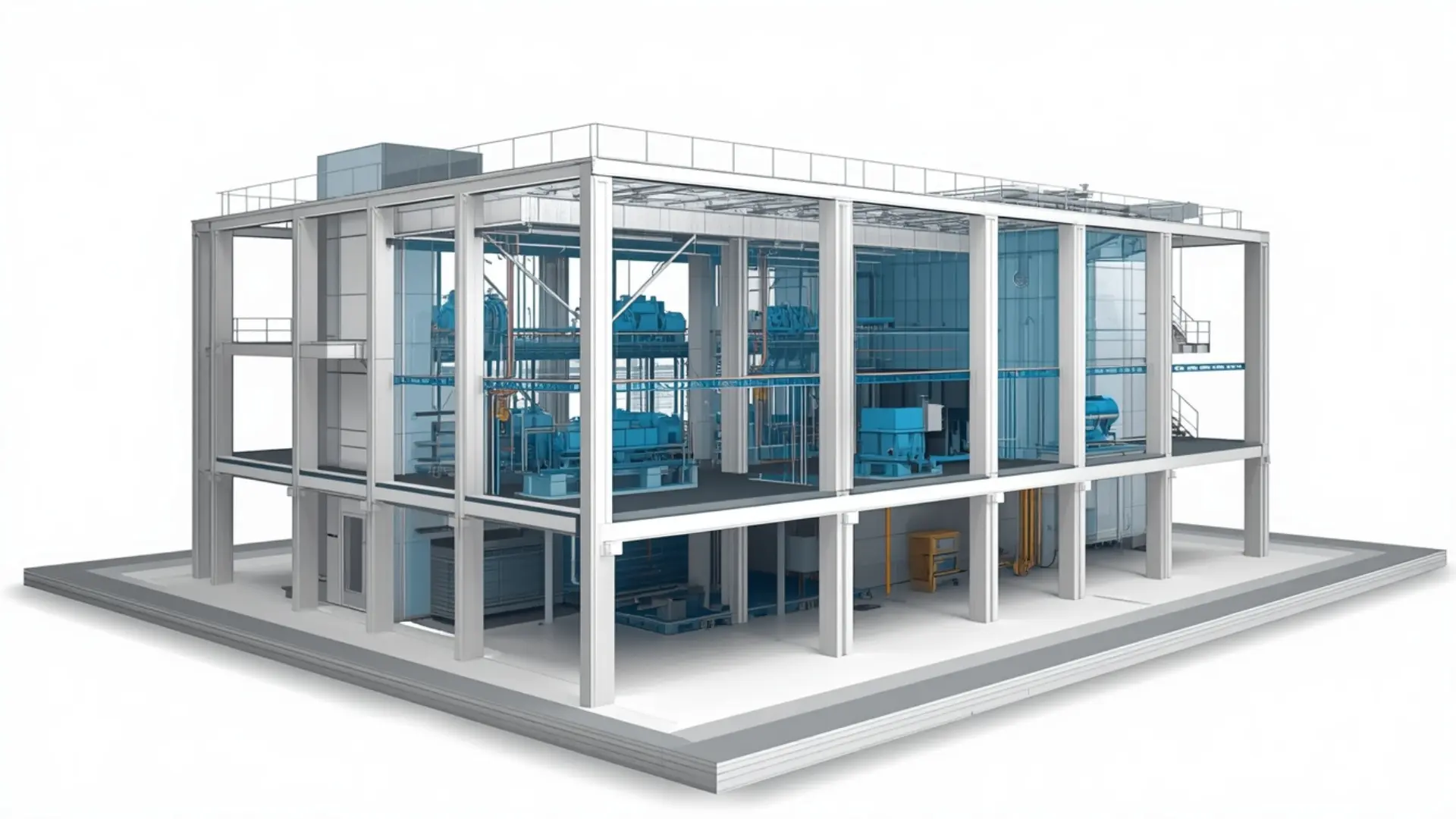
Scan to BIM Services
Our Scan to BIM Services convert point cloud data and 3D laser scans into accurate, information-rich BIM models. We create detailed architectural, structural, and MEP models that reflect existing building conditions with precision. Our services support renovation, retrofit, facility management, as-built documentation, and construction planning, helping reduce errors and improve project coordination. Using advanced BIM technology and industry-standard workflows, we deliver reliable models tailored to your project requirements and Level of Development (LOD).

About This Service
Scan to BIM Services
When you're working on a renovation, retrofit or any project involving an existing building, accurate as-built information is the starting point for everything. Old drawings are often out of date. Site measurements miss detail. Assumptions made early create problems later when walls don't land where the model says they should.
Scan to BIM Services solve this by turning laser scan data point clouds captured on site into a precise, usable Revit model. Our team at Eminent BIM Services takes your raw scan files, processes them against the building geometry, and produces models and drawings that reflect actual site conditions. What you get is a reliable foundation for design, coordination, and construction documentation built from what's physically there, not what the original drawings assumed.
What Is Scan to BIM?
Laser scanning captures a building or site as millions of measured points in three-dimensional space a point cloud. The scan records walls, floors, ceilings, columns, ductwork, and any other visible element with sub-millimetre precision. That data on its own is not a model; it's a dense geometric record of real-world conditions.
Scan to BIM is the process of converting that point cloud into a structured Revit model. A BIM modeller works inside the point cloud, tracing and placing model elements to match what the scan shows a wall at exactly this thickness, a beam at this elevation, a duct at this offset from the ceiling. The result is a model that reflects existing conditions rather than design intent, which is exactly what renovation, retrofit and refurbishment projects need.
Point cloud data can come from terrestrial laser scanners, handheld devices, or drone-mounted LiDAR. The format doesn't change the modelling process much. What matters is scan coverage, registration quality, and the agreed accuracy tolerance for the project.
Our Scan to BIM Scope
Point Cloud Review and Registration Checks
Before any modelling starts, we review the point cloud files for coverage gaps, registration errors, and scan density. If ceiling areas weren't captured, or if a corridor has sparse data, we flag it before modelling begins not after the client notices missing elements in the model.
Architectural Scan to BIM
We model walls, floors, ceilings, doors, windows, stairs, columns, beams, and architectural finishes from the scan data. Existing condition BIM modelling at this level gives architects and designers accurate floor plans, sections, and elevations to work from without a return site visit every time a dimension is needed.
Structural Scan to BIM
Structural elements columns, beams, slabs, shear walls are modelled with the geometry visible in the scan. This is particularly useful when structural drawings for an older building don't exist or can't be trusted. We model what the scan shows, at the accuracy tolerance agreed at project start.
MEP Scan to BIM
Visible MEP elements ductwork, pipework, cable trays, plant equipment are modelled as they appear in the scan. Hidden elements inside shafts, above closed ceilings, or behind cladding cannot be modelled from scan data alone, and we're upfront about that. What's captured is modelled; what isn't captured is noted.
Model Updates and Revision Support
Scan data captured at different project stages can be used to update the model as work progresses. We can also integrate scan-derived geometry with design models for clash checking and coordination.
What We Deliver
- Our standard deliverables for Scan to BIM projects include:
- Revit as-built model (.rvt), structured by discipline and level
- Floor plans, reflected ceiling plans, sections, and elevations
- 3D views and walkthroughs for design review
- Deviation analysis notes where scan coverage affects modelling accuracy
- Exported drawings in PDF and DWG formats
- Navisworks federated model where coordination is in scope
Our Workflow
- Receive and review client files: We take the point cloud files (.rcp, .e57, .las), any existing drawings, and the project brief. We confirm scan coverage and flag gaps before modelling starts.
- Agree modelling scope and tolerance: We confirm which disciplines are in scope, the target LOD, and the accuracy tolerance (typically ±6mm to ±25mm depending on building type and project use).
- Point cloud registration check: If the scan has been supplied pre-registered, we verify that registration is clean. Misaligned scans produce misaligned models, so this step matters.
- BIM model setup: We set up the Revit project with the correct grid, levels, and shared coordinates, aligned to the point cloud.
- Model development: Modellers work discipline by discipline through the point cloud, placing elements to match scan geometry. We work to the agreed scope - we don't model what wasn't captured.
- Internal quality check: A senior modeller reviews the model against the point cloud for accuracy, consistency, and completeness before it leaves the team.
- Client review: We issue the model and drawings for client review, with a clear list of areas where scan coverage was limited.
- Revisions: We address review comments, update elements, and recheck affected areas.
- Final delivery: Issued in agreed formats, with a brief model note covering LOD achieved, coverage gaps, and any assumptions made.
Level of Development (LOD)
Software We Use
- Autodesk Revit: the core modelling environment for all Scan to BIM work. All discipline models are built in Revit and issued as .rvt files.
- Autodesk ReCap: for point cloud processing, registration review, and preparing scan files for use inside Revit.
- Navisworks: for federating discipline models, running coordination checks, and producing combined 3D views where multiple disciplines are in scope.
- AutoCAD: for 2D drawing production and export where clients need DWG deliverables alongside Revit files.
Why Clients Use This Service
Projects We Support
- Renovation and refurbishment - office fit-outs, residential conversions, heritage buildings where original drawings are incomplete or missing. Scan to BIM for Renovation gives the project team a verified starting point and avoids costly surprises during construction.
- Retrofit and MEP upgrades - hospitals, data centres and industrial facilities upgrading mechanical, electrical and plumbing services within occupied or live buildings. Modelling existing conditions before design work begins keeps clash risk low.
- Commercial and mixed-use - retail centres, hotels and office towers where accurate floor areas and column grids are needed for leasing, planning or repositioning.
- Educational and institutional - universities and public buildings with long build histories and inconsistent drawing records. Existing Condition BIM Modeling brings order to complex as-built situations.
- Infrastructure-related buildings - plant rooms, substations, and technical facilities where services density is high and spatial accuracy is critical for any modification work.
Why Work With Eminent BIM Services?
Work With Our Team
Software Used
FAQ
Let's Deliver BIM the Right Way
Partner with our clash-free coordination and Revit modeling experts to keep your project on time, on budget, and fully coordinated.
Get Free Consultation See Our Work